Advertisement
In most of the
scenarios when we want to share specific screen, deep lining will be useful to
go directly to that screen.
We have created
a sample form and galley.
To access the edit from with data from gallery, we have added the formula Onselect
Set(varitem,ThisItem);EditForm(Form1);Navigate(Screen2)
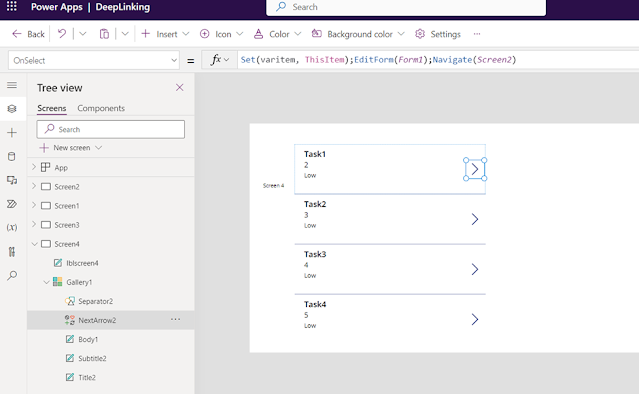
To access
the specific screen based the parameter we can use the below formula
Switch(
Param("screenname"),
"screen1",
Screen1,
"screen2",
If(User().Email in
["Phani@pwtq.onmicrosoft.com"],
Screen2,Screen3),
"screen3",
Screen3,
Screen4
)

If you want
to pass specific item with screen and item ID in the URL, use below formula, we
have set it as New form as default.
If(!IsBlank(Param("ID")),Set(varitem,LookUp(MYTasks,ID=
Value(Param("ID"))));EditForm(Form1))

As an example,
below is the URL to pass the parameter screen and item ID to show data in the Edit
form.
Using Power
automate we can send deep linking URL to users, getting URL dynamically when
item is created.
Hope this
will helps.
Advertisements


1363C13AFD
ReplyDeleteTakipçi Satın Al
Tiktok Bot Basma
Fake Takipçi
3E4844DBF3
ReplyDeleteTakipçi Satın Al
YT Ücretsiz Abone
YT Ücretsiz Beğeni
DCEF2CBA
ReplyDeleteEtlik
İslahiye
Tarsus
Çayırova
Yıldırım
Ünye
Sivrihisar
Edremit
Tatvan